Paste a job posting. Get an honest fit verdict.
Paste a job posting and your resume to see how well you really fit. Then tailor your résumé, write the cover letter, and prep the interview without padding your history.
You
[pastes a VP of Operations posting from a payments company] Do I fit this?
Claude
Stretchstrong on operations at scale, but no P&L or payments experience yet.
Must-haves, with your evidence
- 8+ years leading operations teams✓Operations Manager at Apex Logistics, team of 42; Senior Program Manager at MedFlow, 6 PMs.
- Scaling a process across sites✓Patient onboarding cut from 47 days to 11 across 3 acquired health systems.
- Vendor and cost management✓Procurement cycle cut from 9 months to 6 weeks; headcount costs down 18% while throughput rose 31%.
Top two gaps
- P&L ownership. You ran $8M in program budgets, which isn't a P&L. Say what that budget covered, and ask in the screen whether the role owns a P&L from day one.
- Payments. Nothing in your history is payments or fintech. Lead with the healthcare compliance work as the closest thing, and don't claim more.
Want me to tailor your résumé to this one, or track it?
Cut patient onboarding from 47 days to 11 after the acquisition of 3 regional health systems, leading a team of [confirm: team size] and eliminating $2.1M in compliance penalties over 18 months.
Every sentence it writes about you comes from your history or from what you told it. When a stronger draft needs a fact it doesn't have, the gap stays visible in the draft. You fill it in or cut it.
Two clicks, no setup
- In the Claude app or on claude.ai, open Customize → Plugins.
- Search for Career Compass and add it.
- Open a new chat, paste your résumé and a job posting, and ask
Do I fit this?
No posting at hand? Ask fora sample Career Compass fit check
on a made-up profile first.
Commands, in Claude Code and Cowork. In claude.ai chat, just ask in plain words.
/career-compass:start :fit-check :interview-prep :today :debrief :week :sweep :find :feedback :answer
Saves end with a receipt of what changed. You can record an offer and how each interview round went, and :today leads with a debrief the day after an interview.
How it works, in five steps
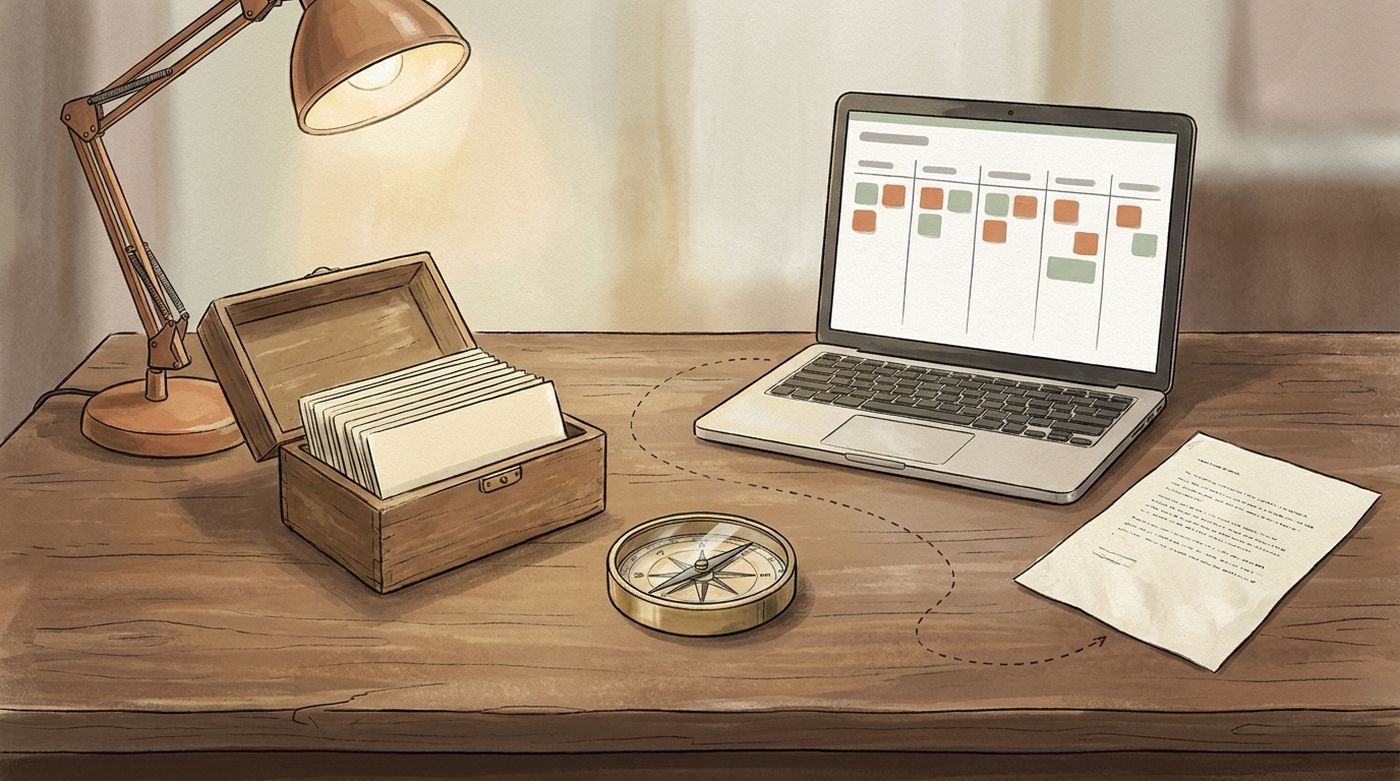
You talk to Claude. Claude uses the tools. In Cowork and Claude Code, the tools read and write a folder of plain text files on your own computer.
-
Install
Add Career Compass from the Claude directory (above). In claude.ai chat it helps with what you paste; in Cowork and Claude Code it also remembers. Other MCP apps: see below.
-
Tell it who you are
Paste your résumé, performance reviews, award emails. Claude pulls out the facts and asks for the numbers you left vague. You confirm each section before it is written, and each save tells you what changed.
ingest_documentsave_career_section -
Find and assess a role
Paste a posting. You get a verdict, strong fit, stretch, or long shot, checked against your whole preference contract (salary band, remote, relocation, notice period), never a flattering one.
explore_opportunityresearch_company -
Apply and track
A résumé tailored to that posting, a cover letter, a version formatted for the applicant tracking system, and one card on a pipeline that moves from discovered to offer.
tailor_resumegenerate_cover_letterformat_for_atsanswer_applicationpipeline_* -
Interview, decide, learn
Prep per round, a mid-process map of what has been covered, an offer broken down against your targets, and a journal of what each step taught you.
prepare_interviewinterview_arcevaluate_offercapture_insight
Here's a job posting and my résumé. How well do I fit?— you get the answer first, then Claude offers to save your résumé so the next one starts from it.
Facts about you vs. the résumé you send
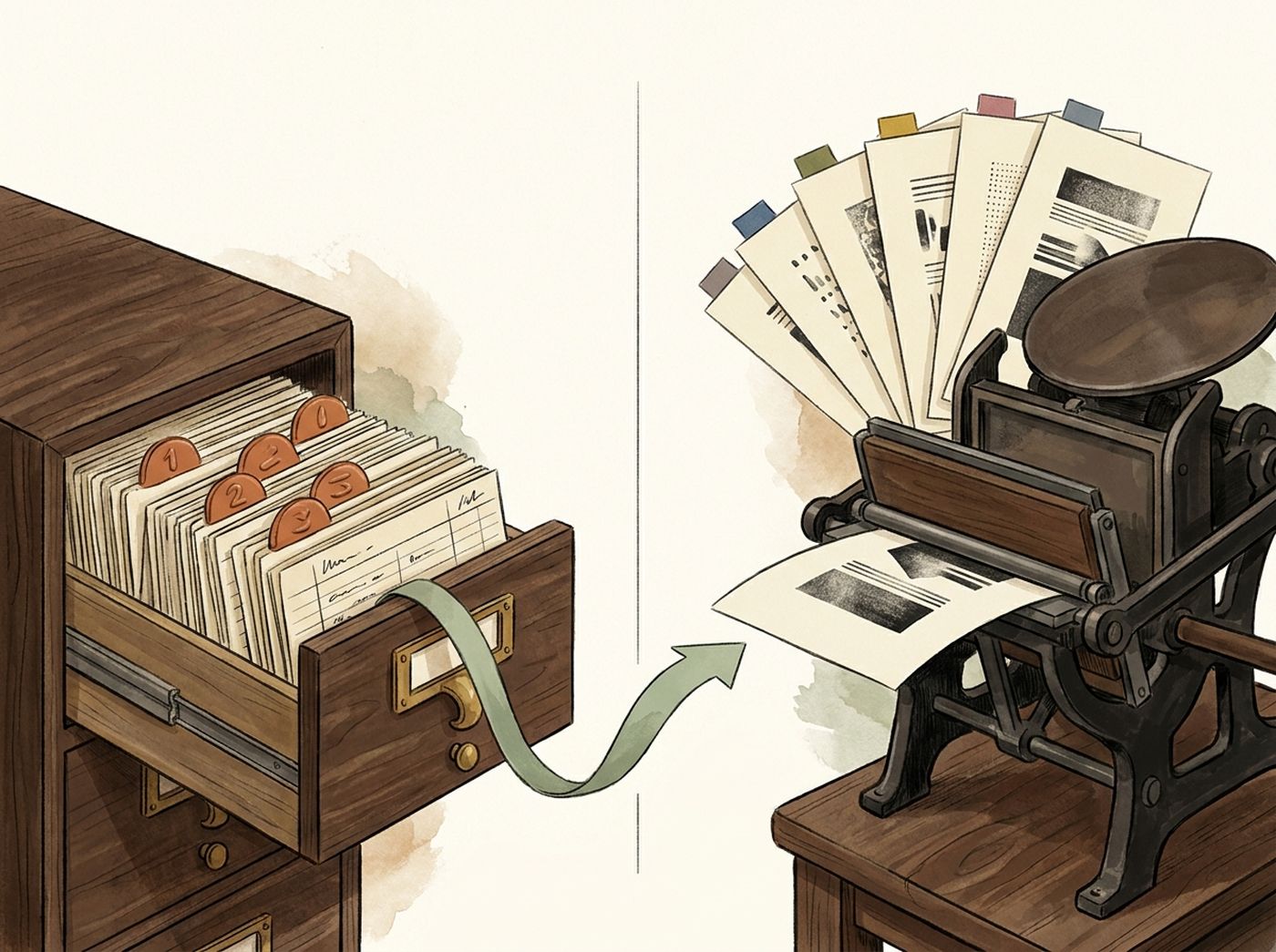
A résumé is not where your career lives. It is a print. The facts live in the Career KB, and every résumé is a fresh print of those facts against one posting.
Facts about you
- shape Structured, not prose. Each achievement is a metric, the context it happened in, and the impact it had.
- sections profile · experience · skills · education · projects · testimonials — plus a dated journal of signals.
- writes save_career_section writes one section at a time, validated first, previous version kept as a .bak. A save that would drop entries is refused unless you mean it. Your client asks you to confirm.
- grows Every posting explored, interview debriefed, and offer weighed can add a dated signal back. It can also read a project's git history and report what you measurably did there, so the numbers come from the record, not from memory.
- metric: cut onboarding from 6 weeks to 9 days
context: 40-person support org, no runbooks
impact: freed two leads for the Q3 launch
# one fact. it will outlive every résumé it appears in.
The résumé you send
- input The KB and one posting. Nothing else.
- output The résumé text in the format you chose — standard, federal, academic, or functional — plus a Keyword Match Report naming which of the posting's terms it covered and which it could not, honestly.
- writes Nothing. A résumé is disposable; the facts are not. Edit a print and the drawer does not change. Add a fact to the drawer and every future print improves.
- then generate_cover_letter for the story, format_for_ats to lay it out for the form you paste it into.
The habit this builds: when something goes well at work, add the fact — not "update my résumé." The résumé is an output.
Interview prep — how we help you ask
An interview is two lists of questions. Career Compass prepares both: the ones they will ask you, answered from your own facts — and the ones you should ask them, which is where most candidates go quiet.

Opening pitch, 60–90 seconds
"Tell me about yourself," bridged to this role and this company — not your life story.
Three to five STAR stories from your facts
Situation, Task, Action — clear about your own part, without erasing the team — and a Result with the number, written out in full. A missing detail is marked [confirm: …], not invented. The themes shift by round: phone screen, behavioral, technical, panel, final.
8–12 likely questions
Specific to the company and role, each with an answer angle from your own background.
5–7 questions to ask them
Thoughtful, not generic — built from the company research and the posting's own gaps. This is the half that is usually improvised in the room. Here it is prepared before you walk in.
Company and role alignment
How your background connects to their mission, product, and current problems.
Bridge topics
The surprising connections between your experience and their world.
Watch-outs and reframes
The concerns they are likely to raise about your background, each with an honest answer ready — so when the question comes, you are not improvising. Prepared, not volunteered.
Tips the tools are built around
- Ask about the gap, not the perk. The posting always leaves something unsaid — the team's size, who owns the roadmap, why the seat is open. The fit check and the company brief surface those gaps, and they become your first questions.
- Don't repeat ground already covered. Between rounds, ask for the map of the process so far: what each round surfaced, the open threads, the untested gaps, and the questions the next round is most likely to ask.
- Debrief while it's fresh. Right after an interview, tell Claude what the room told you. The durable part goes into your journal, and your next prep starts from it instead of from zero.
- Say the number, then the context. Every STAR story is drawn from an achievement that already has a metric. If a story has no number, that is a fact to go find — not a sentence to pad.
- "Not set" is not "no." If you never told it your salary band or relocation stance, the fit check says so and asks — it will not quietly assume an answer and rule a role out on it.
Turn your git history into honest résumé evidence
If you write code, you already have a record of what you did. In Cowork or Claude Code, ask: “Look at my project in ~/code/billing-service and tell me what I can honestly claim on my résumé.”
Built the invoicing service in billing-service over 14 months (212 commits), which [confirm: what changed for users once it shipped, and by how much?]
It reads that project's history on your computer, counts only your own commits, shows the command behind every number, and writes nothing. Counts are participation, not impact, so it asks what the log can't know before anything becomes a bullet.
A morning briefing, on your own computer
Career Compass never runs on a timer. If you want today's list waiting for you, you set it up yourself, and it only reads.
Use a local task
In the Claude Code desktop app, create a local scheduled task (how). It runs on your computer, so it can reach your data folder.
Give it plain text
Paste the prompt below. Not /career-compass:today: scheduled runs don't start commands that only run when you type them.
It only reads
pipeline_view reads your pipeline and changes nothing. You get one “Start here” move and the rest of today in eight lines.
Check before relying on it
Cowork's scheduled tasks may run remotely, where your local data folder isn't available, so try one by hand first. Cloud routines and /loop don't fit.
Start from where you are
Did a fit check get something wrong? Tell me in a short form (leave out anything personal). There is no telemetry, so that is the only way I find out.
Running the server yourself.
If you installed the plugin, you can stop here. The same server runs in Claude Desktop, Cursor, and any app that speaks MCP. One command finds each app and wires it, backing up any file it touches.
npx -y career-compass-mcp install
Needs Node.js 22 or newer. If the plugin is already installed, it leaves Claude Code alone so you don't get two copies of every tool. The package has 19 tools · 4 prompts · 9 resources · 1 dashboard; the README has every route.

The dashboard looks. Claude does.
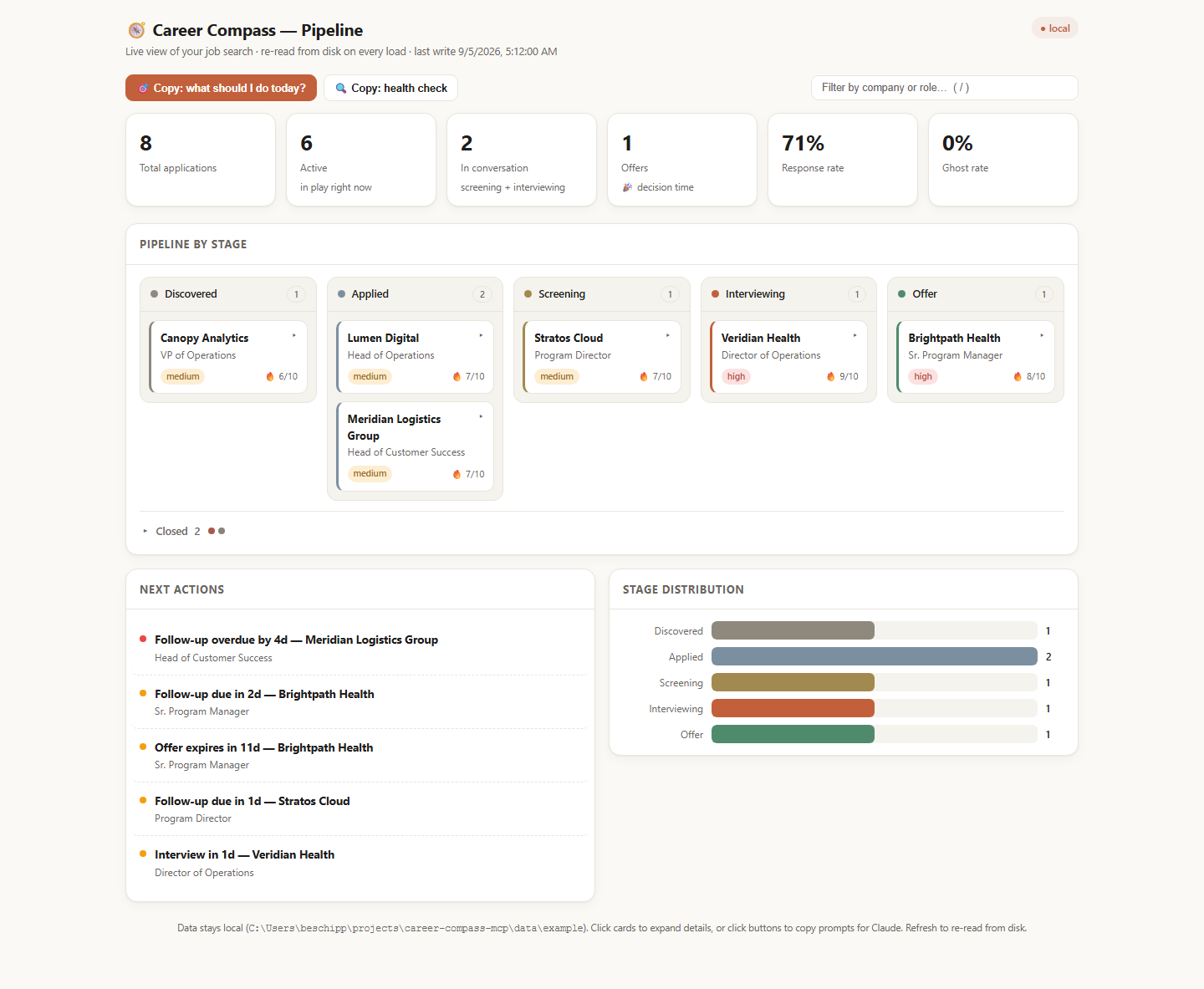
A read-only view of the same files Claude reads and writes, redrawn every time you open it. Anything you want changed, you say to Claude — and the dashboard either hands you the words, or, with Claude Code installed, asks for you.
Open it
One command starts a tiny web server on your own computer and opens your browser. It only answers the computer you are sitting at; nothing on your network, and no other website, can reach the page.
It reads the drawer
On every request the page re-reads the pipeline file from disk and renders the whole document fresh. Nothing is cached, nothing is remembered between loads. Refresh the browser and you are looking at the files as they are right now.
You look
Six numbers across the top, a kanban by stage with the closed applications folded away, a next-actions list of what is overdue or due soon, and a stage chart. Click a card and its drawer opens: days in stage, follow-up, posting, contacts, rounds, latest note.
You ask Claude, not the page
Every button, card drawer, and next-action row carries a ready-made question. By default it copies the words for you to paste. Start the dashboard with --ask-claude and, if Claude Code is installed, the click asks Claude directly, read-only unless you also pass --ask-claude-writes. That runs under your own Claude account and billing, and sends what it reads to Anthropic like any Claude Code session.
npx -y career-compass-mcp dashboard --sample
Opens the bundled Alex Rivera demo. Its dates shift to sit around today, and the tools refuse to write into it.